Expandable patterns
Trigger miniature templates that bloom into headings, tables, and admonitions so repetitive scaffolding never steals your afternoon.
// Ship Vue interfaces and docs without bloat
// Native stack • Vue-ready • Markdown studio • Optional Copilot layer
HBuilderX keeps the install footprint modest while leaning on a C++-driven core for responsive typing. Reach for it when Vue single-file components, Markdown maintenance, and uni-app delivery need to coexist in one calm workspace.
// Files
<template>
  <main class="app">
    <h1>
      HBuilderX interface lab
    </h1>

    <section v-if="snappyBoot">
      <code>quiet launch • steady keystrokes</code>
    </section>
  </main>
</template>

<script setup lang="ts">
const snappyBoot = true
</script>
// Tight feedback loop
Keystrokes land quickly and bulky trees still feel navigable.
// Vue-aware canvas
Template, script, and style blocks stay linked for confident refactors.
// Field notes on HBuilderX
HBuilderX earns attention for pairing a compact installer with a native runtime that still respects Vue, Markdown, and uni-app pipelines. This micro-site translates those strengths into plain language so you can decide quickly whether the workflow matches your team.
Commentary here comes from years of shipping Windows-first web tooling, tuning editors, and balancing documentation debt alongside product code—shared as a candid snapshot rather than marketing fluff.
// Refreshed
// Operator profile
Long-haul Windows engineering background, obsessive about editor latency, readable docs, and predictable release cadences across JS ecosystems.
// HBuilderX orients around lean binaries, tactile editing, and stacks you already trust
// Native runtime
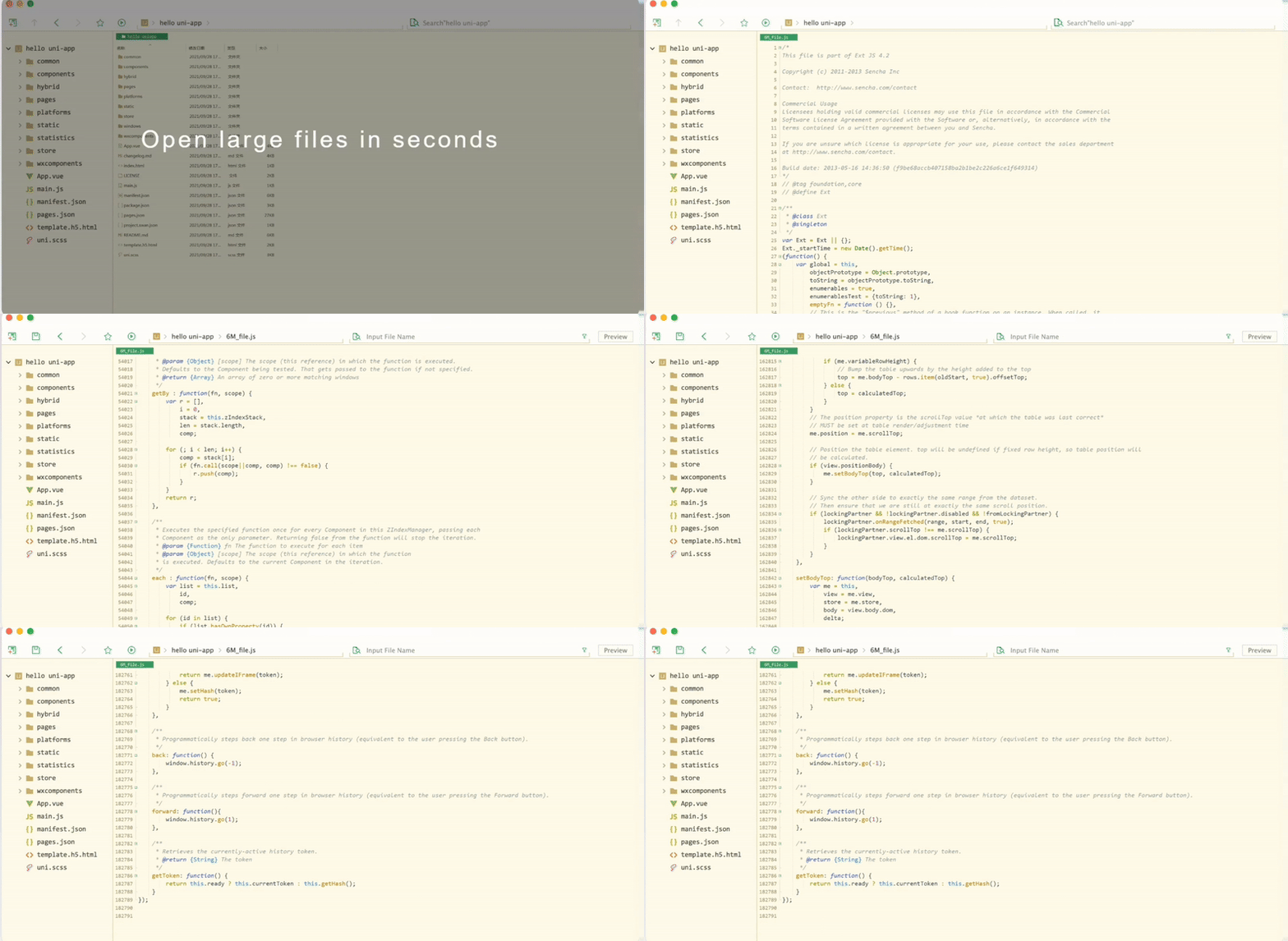
HBuilderX leans on a C++ core so buffers stay responsive, search stays snappy, and RAM curves remain gentle during marathon sessions—not just short demos.
// Predictable latency
Inline helpers keep pace instead of jittering mid-thought.
// Heavy files
Logs and generated assets remain scrollable without drama.
// Quiet footprint
Leave headroom for containers, emulators, and preview servers.
// Vue lane
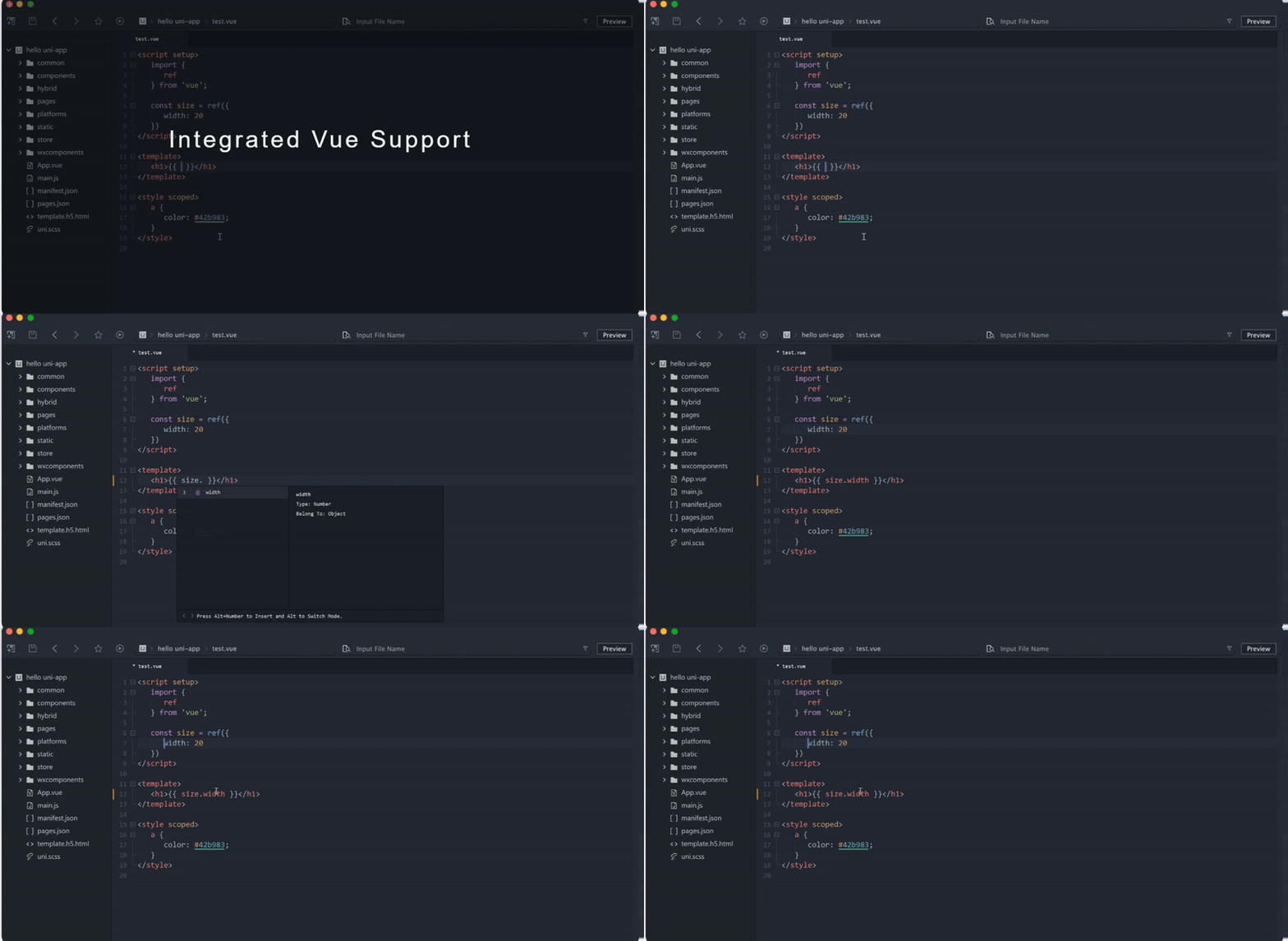
`.vue` files behave like cohesive units: the editor understands how markup, logic, and styles interlock, so jumps and refactors stay coherent.
// Docs lane
Pair the editor pane with a synced preview, tighten lists and callouts quickly, and keep README or handbook updates aligned with your release branches.
# Ship log
- Dual-pane review while drafting
- Clipboard helpers for assets and fenced code
- Export-friendly structure out of the box

HBuilderX elevates Markdown with snippet bursts, disciplined shortcuts, and preview panes that stay married to your cursor—so knowledge bases never feel like an afterthought.
Trigger miniature templates that bloom into headings, tables, and admonitions so repetitive scaffolding never steals your afternoon.
Bold, italics, fenced blocks, and task lists snap into place via chords that keep fingers anchored on the home row.
Keep rendered output in lockstep with edits—scroll either surface and the twin view follows without losing your place.
Multi-cursors, scoped search, and semantic selection behave identically in Markdown, so reorganizing a handbook mirrors cleaning up a module graph.
HBuilderX keeps spacing honest and recurring sections uniform—ideal when stakeholders actually read what ships.
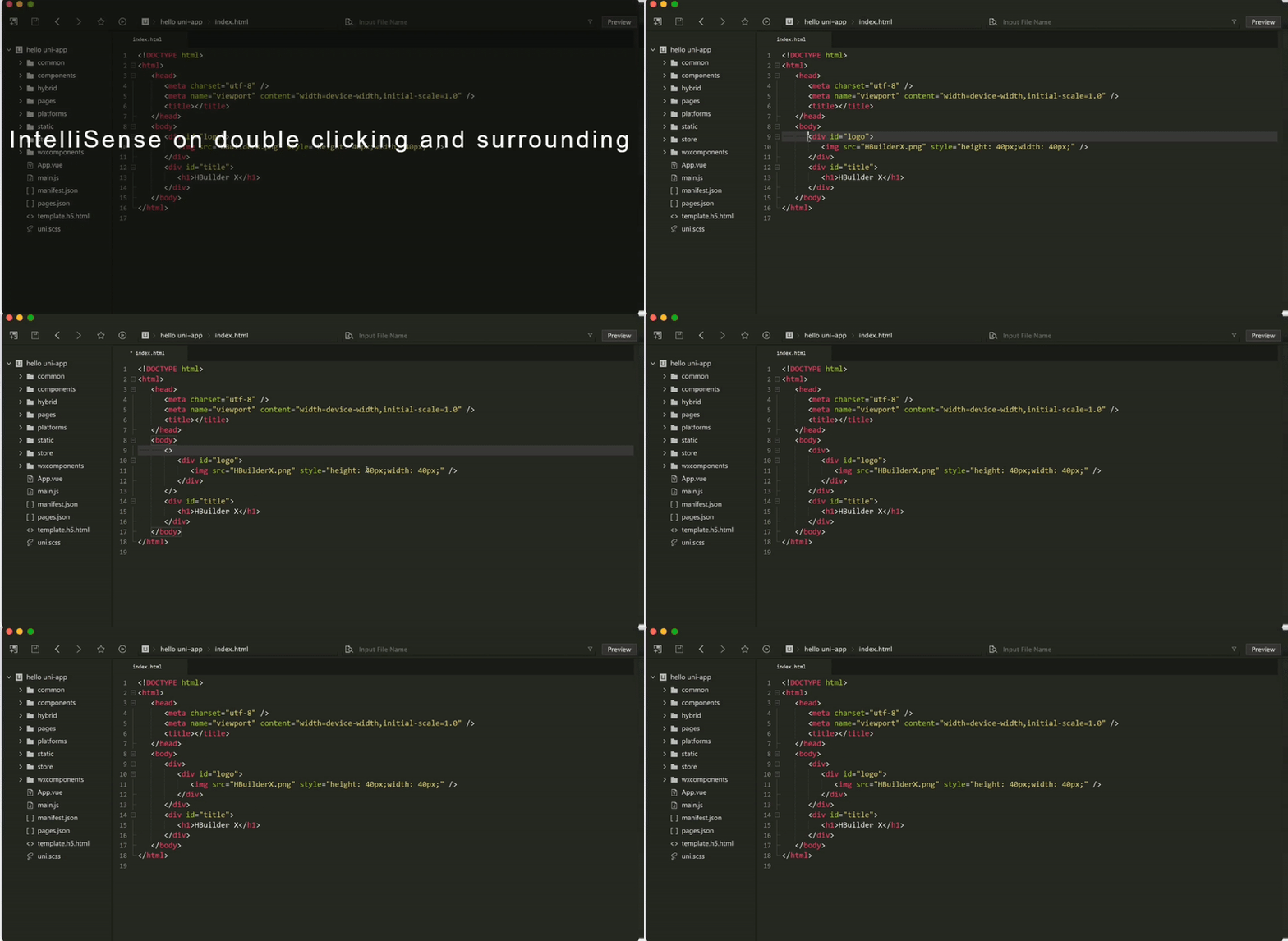
HBuilderX rewards operators who prefer chords over cursor travel—stack selections, fan out edits, and snap between symbols without leaving the layout.
Hands-on-keys loops
Jump, edit, and return without hunting UI chrome.
Parallel cursors
Touch every repeated literal in one gesture.
Semantic selection
Grow selections by meaning instead of pixel chasing.
Search hops
Traverse sprawling trees with tight filters.
Dual-loop motion study
Burst edits
// fan-out edit: retheme every action chip together
const actions = [
  { label: "Fetch build", tone: "accent" },
  { label: "Open handbook", tone: "accent" },
  { label: "Browse plugins", tone: "accent" },
]
Swap in your own captures anytime—loops are placeholders meant to convey tempo, not final art direction.
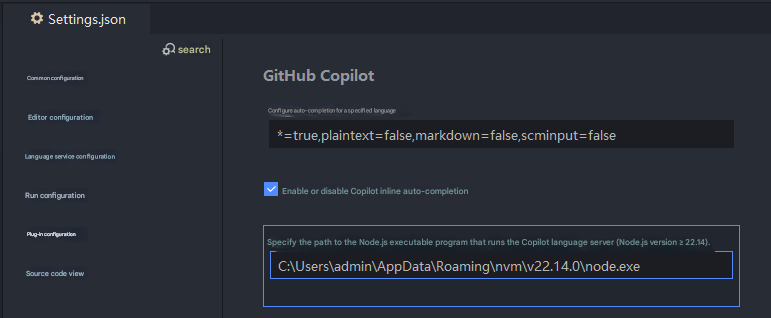
Wire up the GitHub Copilot extension when you want inline continuations that respect local context—accept, revise, or ignore suggestions without leaving the buffer you were already typing in.
Suggestions ride along with your caret in both code and prose. Keep the lines that match your mental model, discard the noise, and never surrender diff control.
// tab → accept ghost text
// esc → dismiss without drama
// keep authoring → model adapts on the next beat
Install from the marketplace, point HBuilderX at a supported Node runtime, authenticate once, and the Copilot service slots into your existing muscle memory.

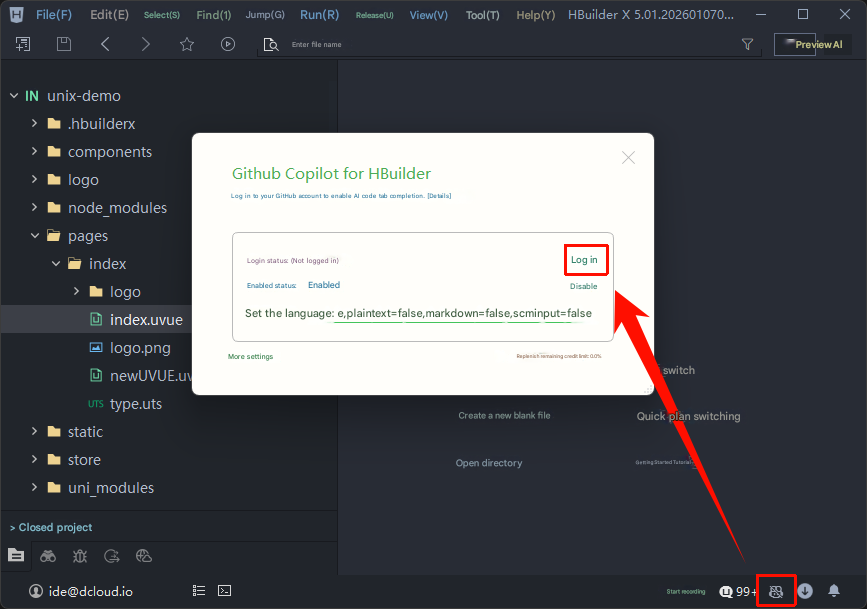
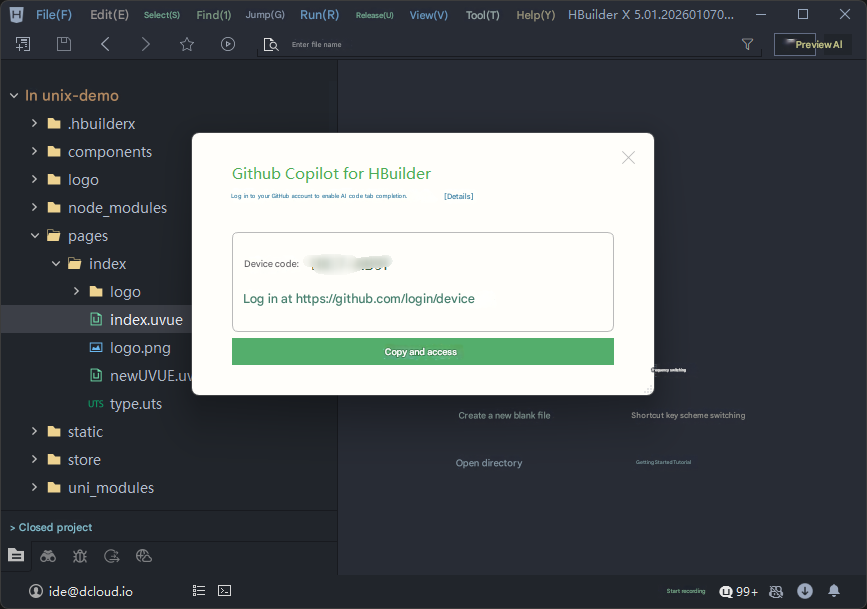
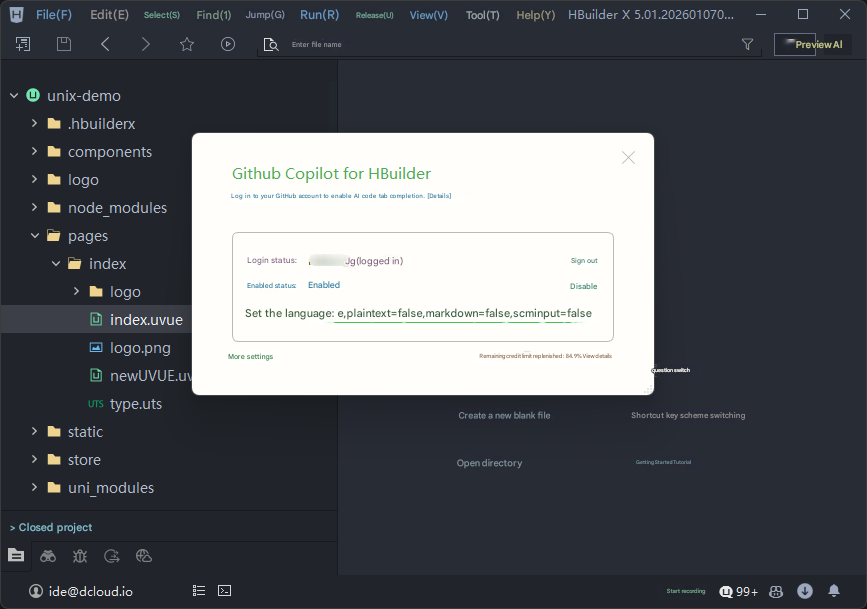
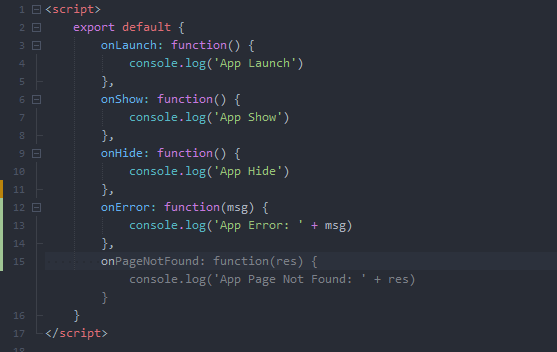
Assistance stays inside the buffer
Copilot becomes another instrument layer—toggle it on when experiments help, mute it when you need silence.
// Pick the bundle that matches your workstation—Windows, macOS, or Linux builds stay in sync with the same UX promises
// Windows
Windows
Tuned for Windows 10 and 11 workstations running mixed web stacks.
> Pull Windows build// Standard + app packaging lanes
// macOS
macOS
Matches Apple Silicon and Intel Macs without sacrificing native text rendering.
> Pull macOS build// Universal-friendly installers
// Linux
Linux
Ideal for cloud dev boxes or bare-metal rigs running mainstream distros.
> Pull Linux build// x64 + arm64 targets
Benchmark-friendly footprint
HBuilderX pairs a compact installer with a native runtime so laptops breathe easier during compile storms and long preview sessions.
Workflows that mirror shipping teams
Vue SFCs, Markdown knowledge bases, and uni-app targets share one cockpit—fewer context switches while you iterate.
Honest onboarding
Downloads stay direct, Copilot steps stay explicit, and navigation favors keyboards so evaluation feels like a trial—not a funnel.

Dark surfaces, legible type, and keyboard-first layouts reduce visual noise so marathon debugging sessions feel less punishing.
Muted chrome and deep backgrounds keep specular highlights away from the glyphs you actually need to read.
Generous x-height and spacing make Markdown and code blocks easier to track without leaning closer to the display.
Lean on shortcuts, multi-cursors, and palette jumps to keep wrists neutral during repetitive edits.
Because the shell stays light, you spend less time watching spinners and more time reasoning about the problem at hand.
Side tools collapse into a calm hierarchy so notifications and logs do not hijack your focal point.
HBuilderX removes friction, yet your eyes still deserve resets—stand, stretch, and dial brightness to match the room.
Drop HBuilderX into PowerShell launchers or scripted onboarding—the samples below are starting points for Windows-first automation.
Launch HBuilderX from PowerShell
cd "C:\Program Files\HBuilderX"
.\HBuilderX.exe
Pass a workspace path through an environment variable
$env:HBX_WORKSPACE="C:\Projects\my-app"
Start-Process "C:\Program Files\HBuilderX\HBuilderX.exe" -ArgumentList $env:HBX_WORKSPACEStraightforward notes on how HBuilderX behaves day to day—performance, Copilot, Vue, and plugin coverage.
Short definitions for phrases referenced throughout this HBuilderX overview—handy for newcomers comparing stacks.
A desktop editing environment that prioritizes a small distribution, native responsiveness, and pragmatic defaults for web-centric repos.
A `.vue` file co-locates markup, logic, and scoped styles; HBuilderX keeps those regions linked for navigation and refactors.
A multi-target Vue framework spanning mobile and web clients—HBuilderX surfaces tooling that understands those project shapes.
The Markdown-centric workflow inside HBuilderX: snippet bursts, synchronized preview, and formatting discipline for knowledge bases.
Ephemeral ghost text proposed by GitHub Copilot—accept, amend, or ignore without leaving the buffer you were already editing.
How quickly the UI reflects keystrokes and file operations; HBuilderX emphasizes low-latency feedback even when assets grow.